Google manual actions: what they are and how to get rid of them
How to find out if Google manually penalized your site, which action types exist, how to fix them and what to write in the reconsideration request.
In short
- A manual action is a penalty issued by a person at Google, not by the algorithm.
- You see it in Search Console under Security & Manual Actions → Manual actions.
- Fix the cause on all affected pages, not just a few examples.
- Only then send a clear, documented reconsideration request.
What a manual action is
A manual action happens when a reviewer at Google checks your site and decides it breaks Google's spam policies. The result: affected pages drop sharply in the results or disappear from them completely.
It can hit a few URLs, a section or the whole site. Unlike a drop caused by an update, you get a clear notice and an official way to ask for it to be lifted.
Manual action or algorithmic drop?
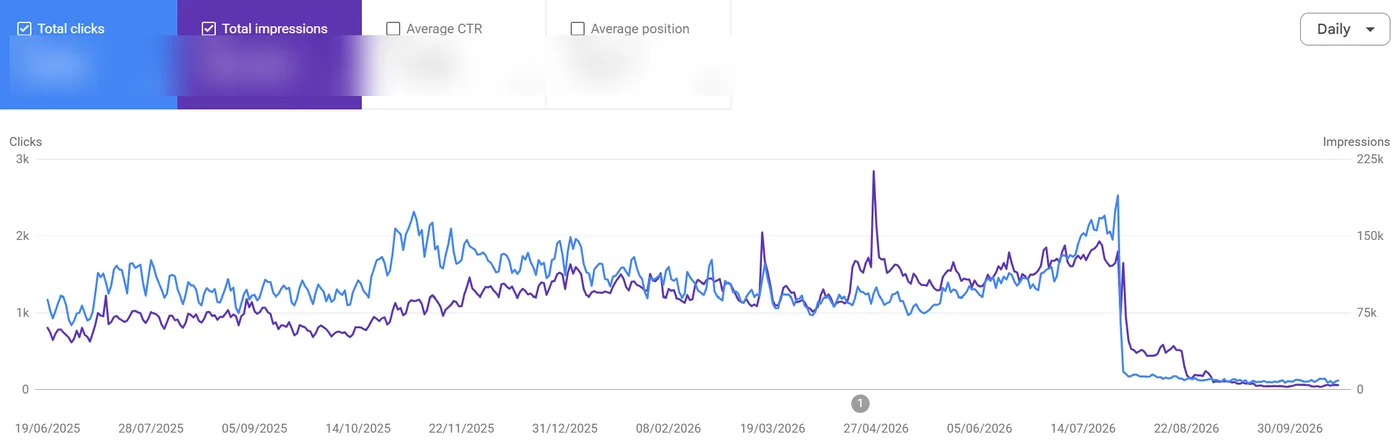
Not every traffic drop is a penalty. Before you do anything, find out what you're dealing with.
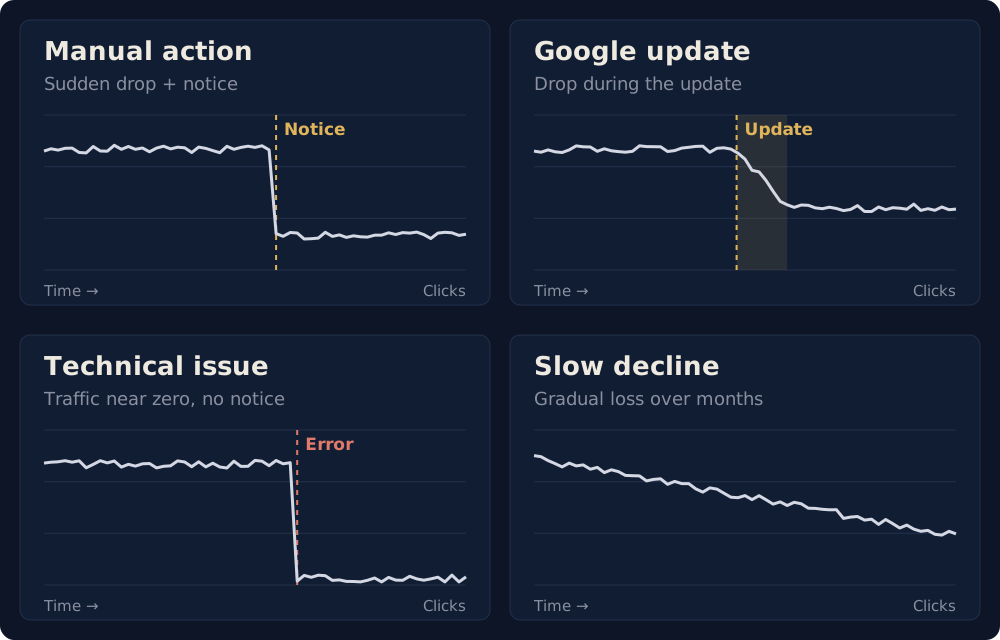
| What you see | Likely cause |
|---|---|
| Sudden drop and a notice in the Manual actions report | Manual action |
| Sudden drop during an announced Google update | Algorithm (core or spam update) |
| Sudden drop, no update and no notice | Technical or indexing problem |
| Slow decline over months | Competition, outdated content or clicks lost to AI Overviews |
If the report is clean, you have no manual action and nothing to reconsider. The problem is elsewhere, usually technical or about content quality.
How to check for a manual action
- Open the right property in Google Search Console.
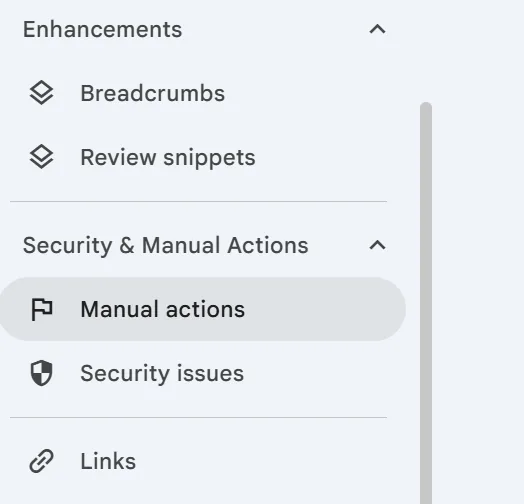
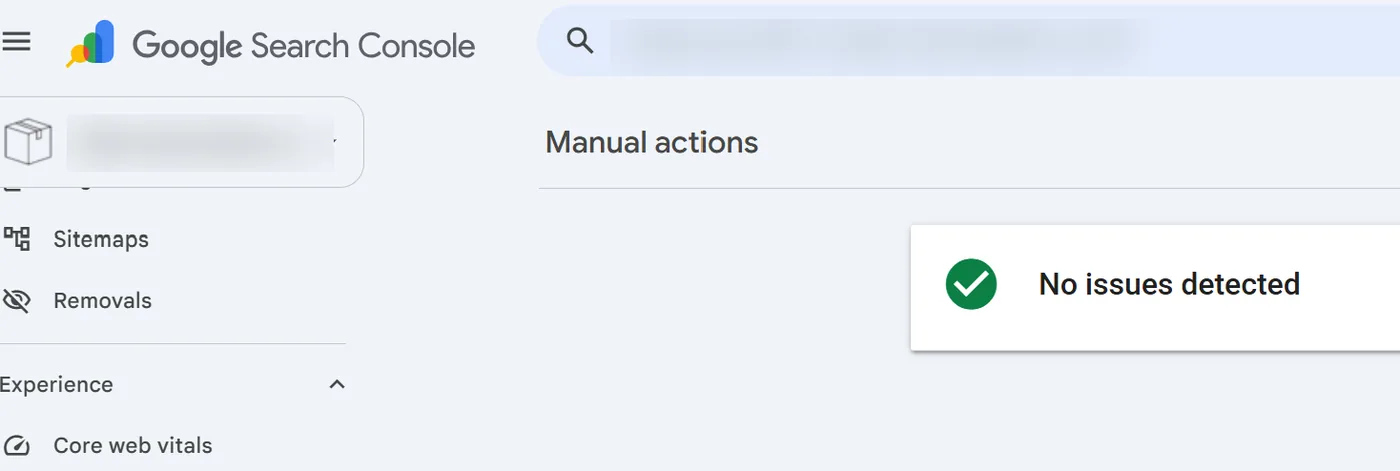
- Go to Security & Manual Actions → Manual actions. A green check mark means you have none.
- Also check the Security issues report. A hacked site can produce spam without you knowing.
- Look at the Search Console messages and the email tied to the account.
- In the Performance report, match the date of the drop with the affected pages and queries.
The report sits in the left-hand menu of Search Console, under Security & Manual Actions. If everything is fine, you see a green check mark and the message "No issues detected".
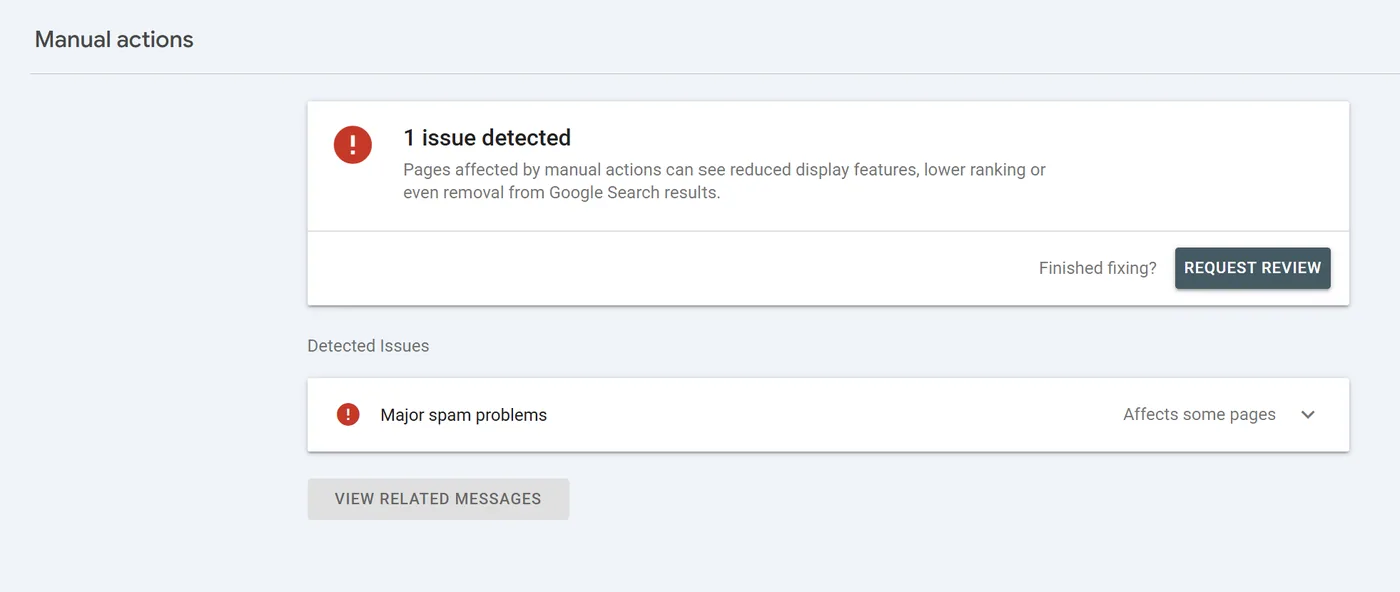
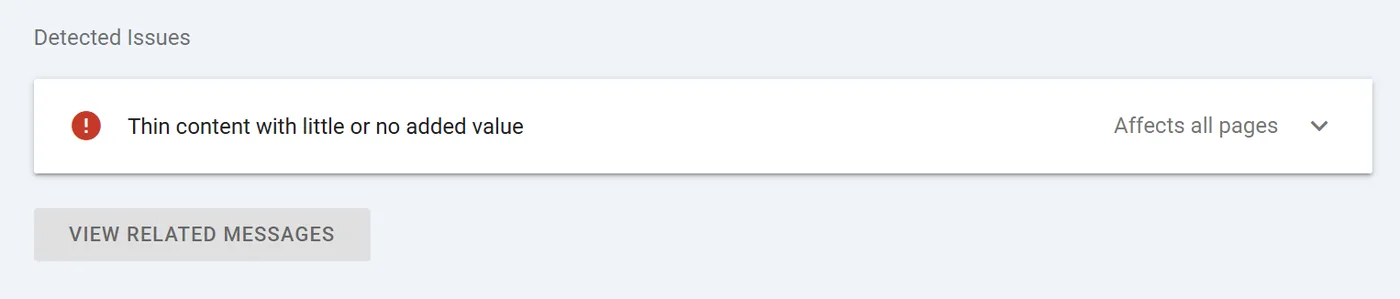
If you have a manual action, the report shows how many issues there are, the type of each one and how much of the site is affected: some pages or all pages. Click each issue to see the details and example URLs.
Types of manual actions
Google keeps an official list of manual actions. In short, they fall into a few families:
| Type | What it means | What to do |
|---|---|---|
| Unnatural links to your site | Bought or artificially built links pointing to you | Ask for removal, then disavow what is left |
| Unnatural links from your site | Selling or trading links that pass authority | Remove them or mark them rel="sponsored" or rel="nofollow" |
| Thin content with little added value | Empty affiliate pages, copied text, pages made only for searches | Add real value, merge duplicates, delete what helps no one |
| Major spam problems | Aggressive spam, including mass-produced content without control | Remove the whole scheme, not just a few pages |
| User-generated or third-party spam | Comments, profiles, forums or search pages full of spam | Clean up, moderate and block automated submissions |
| Cloaking and sneaky redirects | Google and visitors see different content or land in different places | Remove the code doing it and check the site isn't hacked |
| Hidden text and keyword stuffing | Invisible text or unnaturally repeated words | Delete the hidden text and rewrite naturally |
| Structured data issue | Schema describing something other than what visitors see | Make the schema match the page. It only affects rich results |
| Site reputation abuse | Third-party content hosted mainly to exploit the domain's authority | Remove it or put it under real editorial control |
| Others | Back button hijacking, cloaked images, AMP mismatch, mobile redirects, Google News and Discover policies | Remove the exact cause named in the report |
Which manual actions are the most common?
Google doesn't publish statistics on how often it issues each type of action. If someone tells you a certain action is "the most common", they should show you the data. In audits, I first check what is most likely given the site's history and structure:
- Unnatural links, especially if an agency, a contractor or a previous owner bought links or ran large-scale sponsored posts.
- Thin content or pages made only for searches: near-identical city pages, empty affiliate pages, pages generated at scale.
- User-generated or third-party spam, on sites with forums, comments, profiles or public forms.
- Misleading structured data: reviews, products, jobs or events marked up in schema but not shown on the page.
- Cloaking, hidden text or redirects, including malicious code or third-party scripts added without your knowledge.
- Major spam problems, when several of the above appear at scale.
The order changes from site to site. The action named in Search Console always takes priority over any general list.
How hard is it to recover?
It depends on what was done, at what scale, for how long and whether the problem is still active. In general, most manual actions are resolved within 4 to 6 weeks. Some go much faster, others take longer.
- Structured data generated from a single template: usually quick to fix, before the reconsideration request.
- Large-scale unnatural links: weeks or months. You have to find old links, contact site owners, document the attempts and disavow in stages.
- Thin content across hundreds of pages: not solved by rewriting a few intros. The content strategy has to change, sometimes with mass deletions.
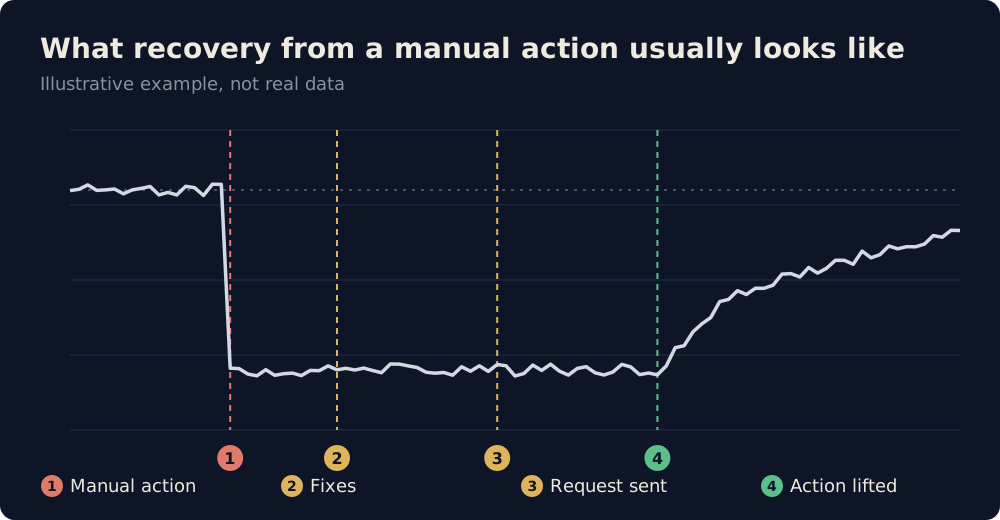
No wording in the reconsideration request makes up for an incomplete fix. And lifting the action only means Google accepts the problem was solved, not that your rankings automatically come back.
How to fix a manual action
- Write down exactly what the report says: the action name, the date and which pages are affected.
- Find the common cause. The examples in the report are only a sample. Look for the system behind them: a template, a plugin, a link supplier, an auto-generated section.
- Fix everything. Google says clearly that a partial fix won't earn a partial return.
- Make sure Google can see the fix. Pages must not be blocked by robots.txt, noindex or a login. Check with URL Inspection.
- Only then request reconsideration.
I went through this with a penalized tech news site: first we cleaned up the cause, then we rebuilt. The details are in the case study.
The hardest step is the second one: Google gives you the action type and a few example URLs, but you have to work out which pattern it penalized. If the site was bought or had another agency before, the problem may come from their work, and you can say so in the reconsideration request.
If the action is for thin content or spam
- I crawl the whole site with Screaming Frog, connected to Search Console and GA4, so I have indexing and engagement data for every page.
- I use AI in the same crawl to rate each page's depth, quality and expertise signals (E-E-A-T).
- I group the pages. Under 500 words is usually very thin, under 1,000 may still be salvageable.
- I compare text length with time spent on the page.
- I read the content like a person: style, structure, formatting, real and verifiable authors, cited sources, images and internal links.
- I compare each page with what ranks in Google for the same search: does it have a real reason to exist?
Content mass-produced and published straight from ChatGPT, Claude or Gemini, without review, is exactly what Google sees as low value. It's often simpler to delete everything that was auto-generated and start again with a real strategy. Domains with an established brand get through reconsideration more easily than new sites that published a lot in a short time.
If the action is for links
- I export all referring domains, from Ahrefs and from the Links report in Search Console.
- I separate domains with no real traffic and sort the links into groups: obvious spam, paid-post sites with no readers, links with forced anchor text from old campaigns, private blog networks (PBNs) and links injected through hacks.
- I submit the disavow file in stages, not all at once, and request reconsideration after each stage until it goes through.
- In the request I explain what I cleaned up, including links marked rel="sponsored".
Be careful with mass disavows: if you drop almost all your links, the site may not get its traffic back even after the action is lifted. And if you lost traffic in a spam update, with no manual action, a mass disavow won't help and can make things worse.
For cloaking, redirects or third-party spam
Compare what a visitor sees with what Google sees in URL Inspection, on mobile and desktop. Check server rules, JavaScript, Tag Manager, ad scripts and plugins. For third-party spam, check comments, profiles, uploaded files and internal search pages. A site can be hacked without the homepage looking any different.
The disavow file: when it helps and when it doesn't
The disavow file tells Google to ignore certain links pointing to your site. It doesn't delete them, it only takes them out of the calculation.
- It helps only with an unnatural links action, after you've tried to get the links removed.
- It doesn't help with thin content, cloaking, structured data or hacked sites.
- Don't disavow your whole link profile. You can lose the good links too.
The reconsideration request
You send it from the Manual actions report, with the Request review button, only after everything is fixed. A good request covers three things:
- The exact issue, with the name from the report.
- What you did to fix it: pages deleted or rewritten, links removed, code taken out, with evidence.
- The outcome and what changed so it doesn't happen again: moderation, new rules for suppliers, regular checks.
Be specific and honest. A generic "we fixed everything" message is usually rejected. If you bought the site with the problem already there, say so. Don't send a new request while one is still under review.
How long it takes
Google says reviews usually take from several days to several weeks, and link-related ones can take longer. You get one email when the request is received and another when it's done.
Lifting the action doesn't mean traffic automatically returns to where it was. If rankings came from links or pages that no longer count, the site has to earn those positions again.
How to prevent a manual action
- Don't buy links that pass authority, and label paid collaborations correctly.
- Check what SEO and content suppliers publish in your name.
- Don't publish content at scale without human review, whether AI wrote it or not.
- Keep structured data true to what visitors see.
- Moderate comments, forums and user profiles.
- Keep the CMS and plugins updated and check your redirects.
- Before buying a domain, check its history and links.
Frequently asked questions
How do I know if my site has a manual action?
Open the Manual actions report in Google Search Console. A green check mark means you have none. If you do, the report shows its type and the affected pages, and Google also sends a message in Search Console.
What's the difference between a manual action and a Google update?
A manual action is decided by a person, shows up in Search Console and is lifted through a reconsideration request. Drops from updates are automatic, don't appear in any report and can't be appealed. You recover only by improving the site.
Does a disavow file help if I don't have a manual action?
Usually not. Google already ignores most low-quality links. Disavowing makes sense mainly when you have a manual action for unnatural links.
Does traffic come back right after the action is lifted?
Not necessarily. Pages can show up in the results again, but rankings depend on how good the site is without the things that caused the penalty.
Sources
Got a manual action or lost traffic overnight?
I'll check what happened, find the cause and help you with the fix and the reconsideration request.
Request a technical SEO audit →